





Introducing FM Dojo
We're happy to announce the new FM Dojo site. Here's what it does, why we built it, and how you can help shape what comes next.
Why We Built It
We've spent way too many hours staring at FileMaker calculations that won't work. You know the feeling—you're 90% sure the syntax is right, but you're not getting the results you expect, and you can't figure out why.
Or you're trying to remember the exact syntax for ExecuteSQL. Again. For the hundredth time.
Or you need to write a script that does something you've done before, but you can't remember exactly how you did it last time.
This is why we built FM Dojo.
What It Actually Does
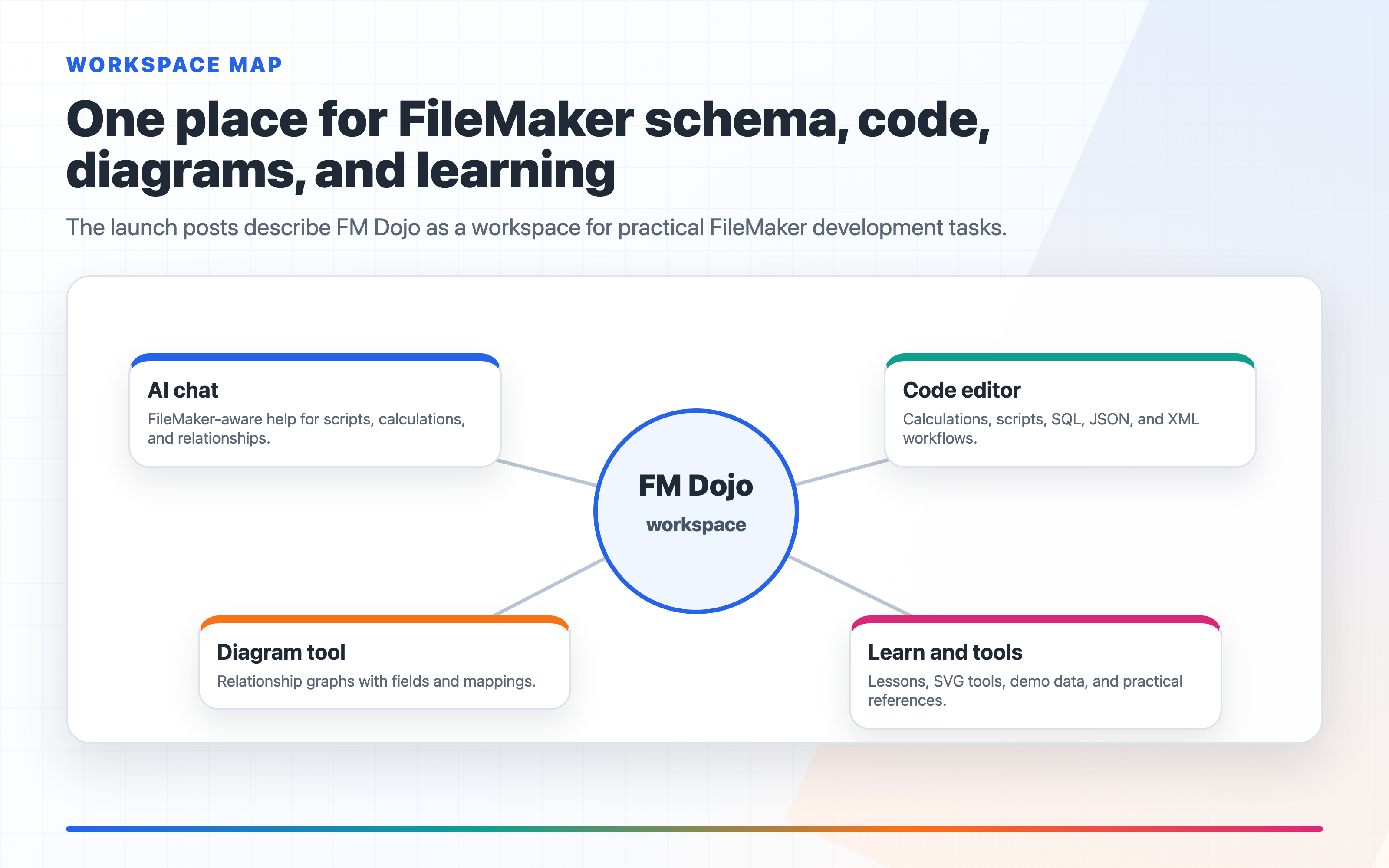
FM Dojo is an AI-powered FileMaker development playground. A tool built specifically for FileMaker developers.
Ask it about calculations, and it knows the difference between Get(FoundCount) and Get(TotalRecordCount). Ask it about scripts, and it understands context and variable scope. Ask it about relationships, and it can help you figure out why your portal isn't showing the records you expect.
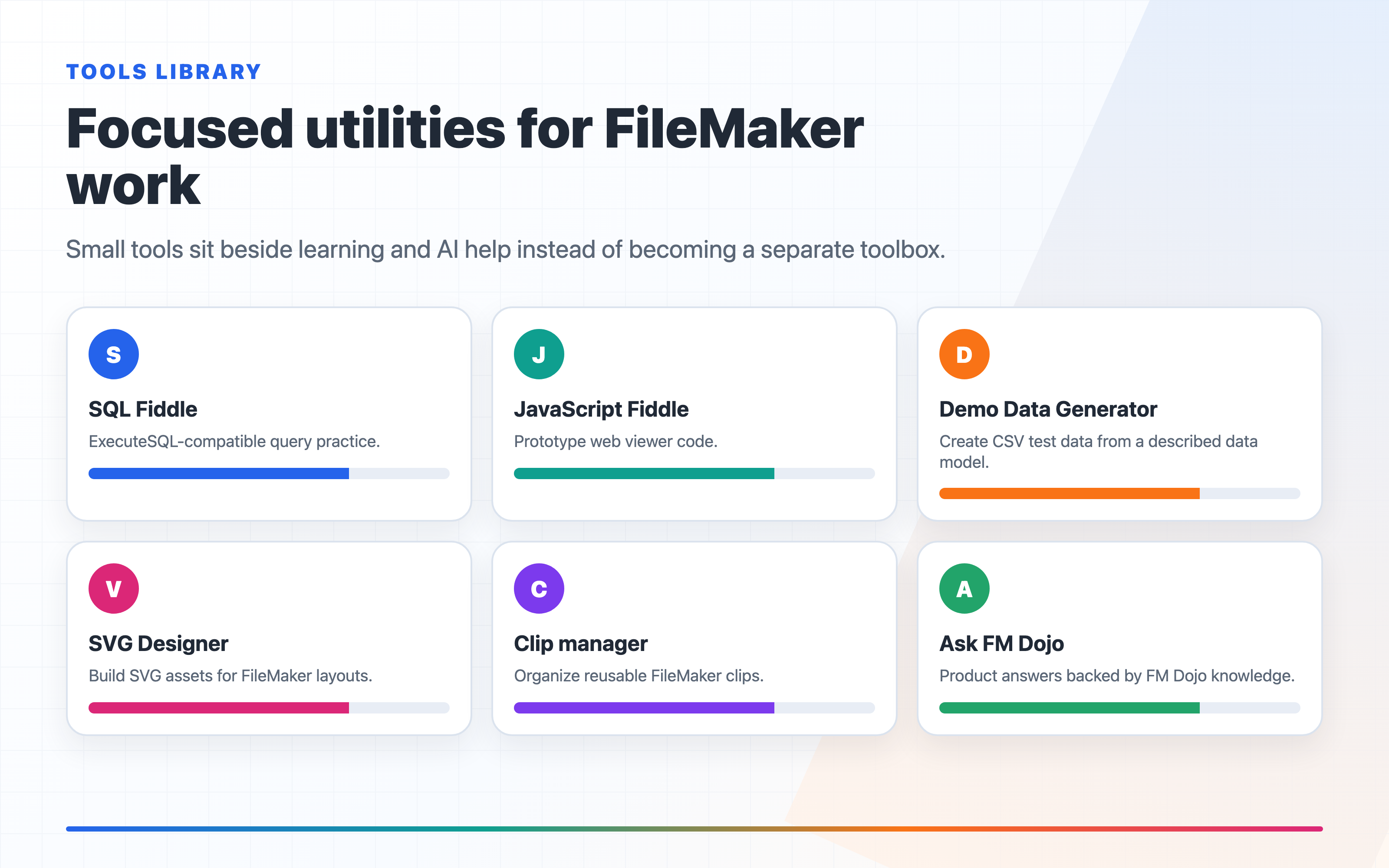
We didn't stop there. It also has a code editor for writing and testing calculations, scripts, SQL, and JSON right in the browser—plus a diagram tool for mapping out your relationships visually.
It's like having someone who knows FileMaker inside and out sitting next to you. Except they're available at 2 AM when you're trying to finish that thing you've been working on for hours.
Why Not Just Any AI Tool?
Generic AI tools are great for a lot of things, but FileMaker isn't one of them. They get the syntax wrong. They suggests functions that don't exist. They doen't understand FileMaker's quirks.
FileMaker has its own way of doing things. The Let() function syntax. The way relationships work. How ExecuteSQL is different from regular SQL. The weird edge cases with dates and text functions. We keep training FM Dojo on all of it.
What We've Built
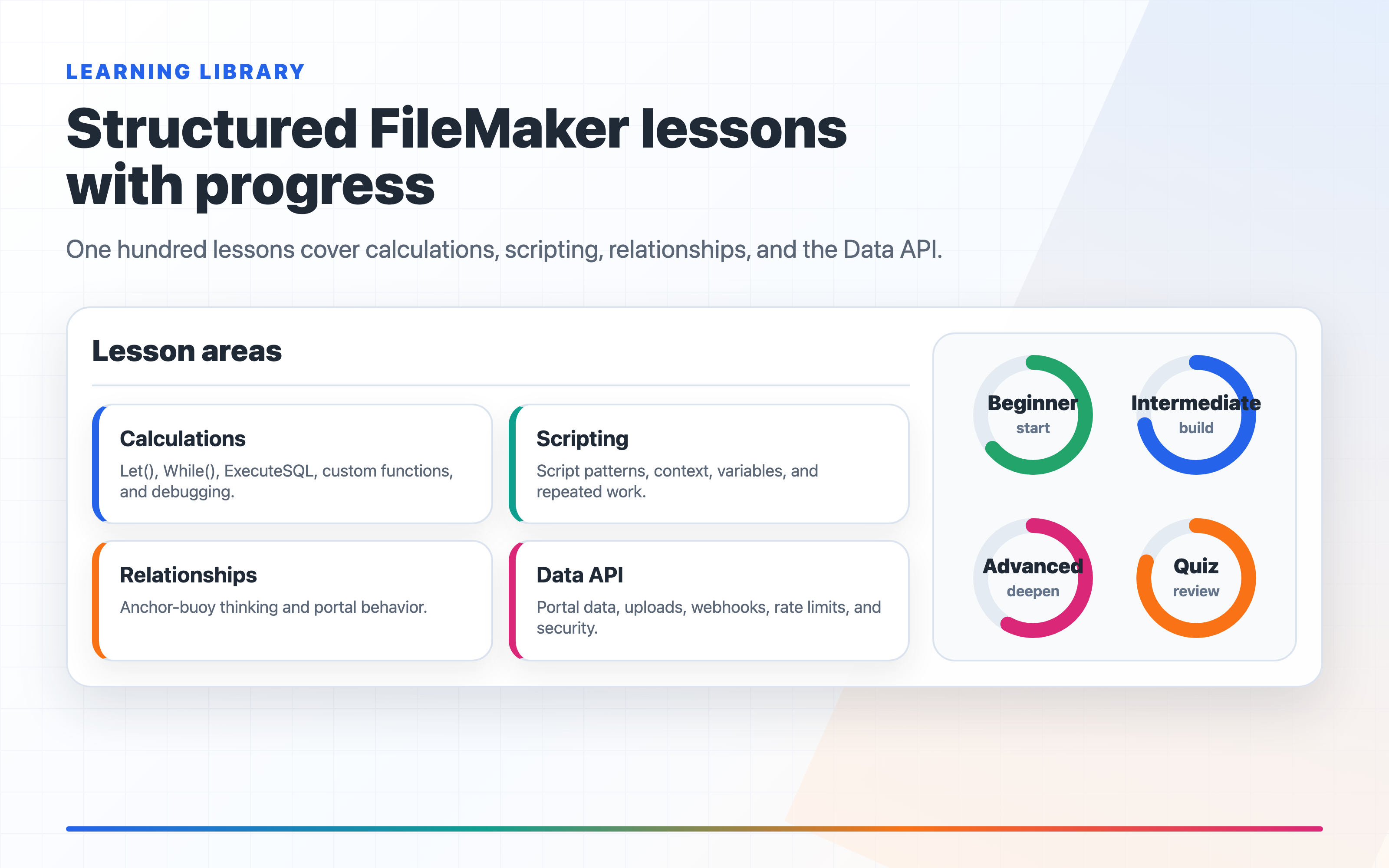
Here's what's in FM Dojo right now:
AI Chat
- A FileMaker-specialized AI assistant — more accurate than ChatGPT for FileMaker
- Knows scripts, calculations, ExecuteSQL, and FileMaker best practices
- Upload files directly into the chat — PDF, XML, JSON, SQL, or any text file
- FileMaker syntax highlighting in responses with copy-to-clipboard
- Copy scripts as FileMaker XML — one click to copy any AI-generated script as
fmxmlsnippetXML, ready to paste into FileMaker's Script Workspace via a clipboard tool - Chat history with full session management
- Shareable chat links — send a conversation to a colleague with one click
- The AI knows about FM Dojo's built-in tools and will suggest using the Code Editor or Diagram tool when relevant
Code Editor
- Separate FM Calc and FM Script language modes, plus SQL, JavaScript, JSON, and XML
- FileMaker function autocomplete — all functions from the Claris docs
- FileMaker script step autocomplete — 206 steps across 13 categories
- Real-time syntax validation (parentheses, brackets, unclosed strings) with line/column error details
- AI Validate — send your code to the AI for deeper logic validation
- Export scripts as FileMaker clipboard XML — convert your FM Script code to
fmxmlsnippetXML for pasting into Script Workspace - Copy/paste scripts from PDF
- Send code directly to the AI chat for help or review
- Save and organize snippets with tags
- Six editor themes (One Dark Pro, Solarized Light, Solarized Dark, Monokai, GitHub Dark, and default light)
ERD Diagram Tool

- Visual relationship diagram builder with drag-and-drop
- Add tables, define fields, and draw relationships between them
- AI Generate — describe your solution in plain English and the AI builds an Anchor-Buoy relationship graph, complete with table occurrences, fields, and relationships
- Edit relationship field mappings
- Export diagrams to PDF
- Save and load diagrams
- Shareable diagram links — share as a live web page
Sharing
- Share any chat, diagram, or code snippet as a live link
- No login required for viewers
- One click — instant shareable URL
- Great for team reviews and client demos
Security & Account
- Two-factor authentication (2FA) with authenticator app support
- Backup codes for account recovery
- Google OAuth login
- Multi-device session management — see all active sessions, revoke any device
- Rate limiting on all API routes
- Encrypted sessions with automatic expiry
Subscription & Pricing
- Monthly subscription plans with token allowances
- Unused tokens roll over — they accumulate month to month
- Multi-currency pricing (USD, EUR, GBP, AUD, CAD, JPY, NZD)
- Upgrade, downgrade, or cancel anytime from your dashboard
Roadmap
- Submit feature requests and vote on ideas from other developers
- Filter by type — Chat, Code Editor, Diagram, or New Feature
- We review and publish approved requests so the community can shape what gets built next
FileMaker Clipboard XML — From AI to Script Workspace
One of the most requested features from FileMaker developers is the ability to get AI-generated scripts into FileMaker without manually recreating them step by step. FM Dojo now does this.
When the AI generates a FileMaker script in chat, or when you write one in the Code Editor, you'll see a FileCode button next to the copy button. Click it, and FM Dojo converts the plain-text script into FileMaker's native fmxmlsnippet clipboard XML format — the same XML that FileMaker uses internally when you copy and paste script steps between files.
To get that XML into FileMaker's Script Workspace, you'll need a clipboard tool that can place XML onto the system clipboard in the format FileMaker expects. There are several great options in the FileMaker ecosystem:
- MBS FileMaker Plugin — the Swiss Army knife of FileMaker plugins. Its clipboard functions let you set XML on the clipboard and paste it directly as script steps. Widely used in the community.
- BaseElements Plugin — a free, open-source plugin with clipboard functions that can convert between XML and FileMaker objects. A solid choice if you want a no-cost option.
- fmCheckMate — a standalone macOS app by MrWatson that converts between FileMaker clipboard objects and XML. It can also transform XML with XSLT, making it a powerful code manipulation tool.
- 2empowerFM Clipboard Explorer — by Dracoventions. Lets you view, edit, and set FileMaker clipboard XML. Used by FMClips and other tools.
- 1-More-Clip — a clipboard manager on the Claris Marketplace that keeps your copied FileMaker objects organized and ready to paste.
- FMClips — by CampSoftware. A FileMaker-based snippet library that uses the Clipboard Explorer plugin to store and paste script steps, layout objects, fields, and more.
The workflow is simple: ask the AI for a script (or write one in the Code Editor), click the XML button, paste the XML into your clipboard tool, and paste into Script Workspace. No more manually recreating 30 script steps one at a time.
Try It Out
We use FM Dojo every day for our own FileMaker work, and it's saving us real time. We figured other FileMaker developers would find it useful too.
If you want to try it, sign up. If you have ideas about what would make it better, let us know. We built this for FileMaker developers, so feedback from actual FileMaker developers is kind of important.
What's Next
We'll post updates here when there's something worth sharing — new features, tips, interesting FileMaker problems we've solved. In the meantime, feel free to post requests and vote on the feature requests. Tell us what would make FM Dojo more useful for your workflow — we're listening and building based on what the community actually wants.
No marketing BS. Just useful stuff for FileMaker developers.
Gratitudes
I wanted to give a little shoutout to some friends who've been really helpful during the development of FM Dojo. First, I want to thank Kevin Frank for his feedback and guidance. And also to HOnza Koudelka for the testing, feedback, and guidance of the project, as well as Josh Halpern for his help with testing and holding my hand throughout the development of the project.
Questions? Ideas? Get in touch or join us on Discord.